Prepare the objects in your project
Before you can create reflections, you have to prepare the objects in your project for which you want to create reflections.
In this step you first use an empty node and define its Scale property value to create a mirror image of all objects it contains. Then you use instantiator nodes that create a visual copy of the objects for which you want to create reflections, including lights, and create a reflection plane.
Along the way you use tags to mark the objects either as origin or a reflection. In the next step of the tutorial you use these tags to collect the objects with two tag filters and pass each to a different render pass.
Assets for this tutorial
The starting point of this tutorial is the result of the Creating your first application tutorial. See Creating your first application. You can find it in <KanziWorkspace>/Tutorials/Creating your first application/Completed Kanzi Studio project.
Prepare the objects in your project
- Open the Kanzi Studio project located in <KanziWorkspace>/Tutorials/Creating your first application/Completed Kanzi Studio project, or complete the Creating your first application tutorial. See Creating your first application.
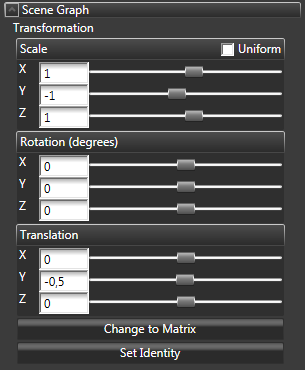
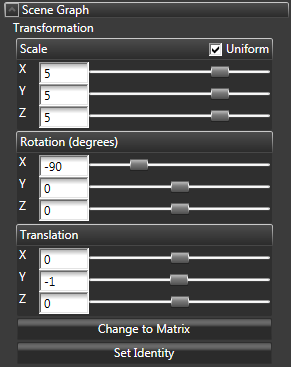
- In the Project right-click the scene with the objects for which you want to create a reflection, select Create > Empty Node, in the Properties add Transformation property, and set:
- Scale Y to -1
- Translation Y to -0,5
With Translation Y attribute you control the distance between the origin and its reflection.
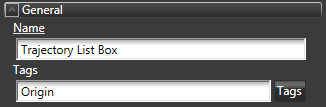
- Select or create the object for which you want to create a reflection (including lights), and in the Properties set the Tags property to Origin.
For example, select the trajectory list box in the project.
If you have more than one object and you want to create a reflection for all objects, group them under the same object, and tag their parent object. For example, place the objects into a trajectory list box, or an empty node.
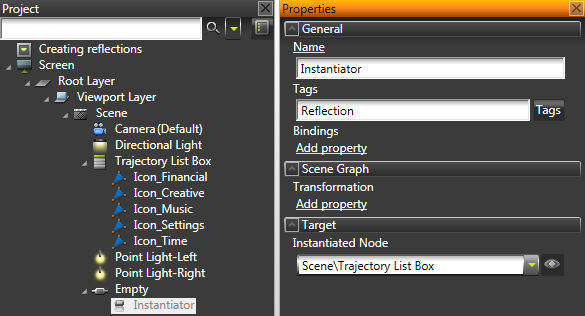
- In the Project right-click the empty node, select Create > Instantiator Node, and in the Properties set:
- Tags to Reflection
- Instantiated Node to the object for which you want to create a reflection
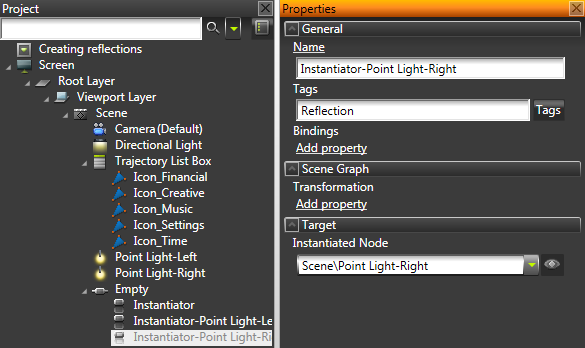
- In the Project right-click the empty node, select Create > Instantiator Node, and in the Properties set:
- Tags to Reflection
- Instantiated Node to a light in the scene
Create one instantiator node for each light in the scene.
- In the Project create a reflection plane in the same scene where you created the origin and reflection objects, and place it between the origin and reflection objects.
For example, create a Plane.
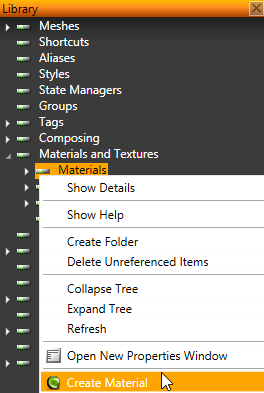
- In the Library right-click Materials and Textures > Materials and select Create Material.
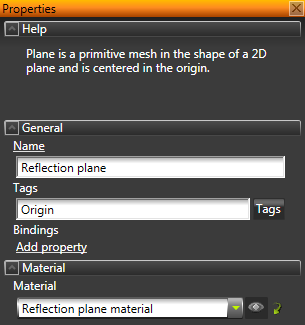
- In the Project select the plane and in the Properties set the Material property to the material you just created.
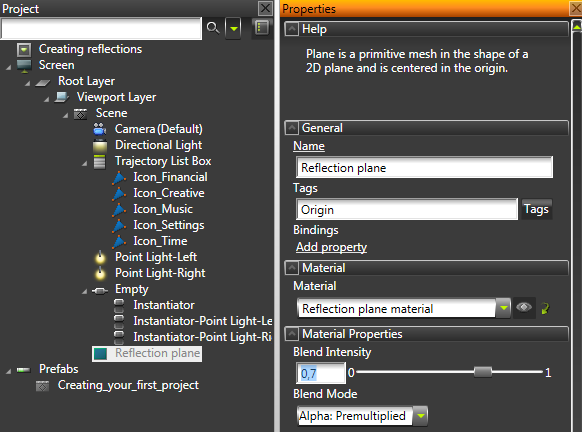
- In the Project select the reflection plane, in the Properties click Add Properties, add Blend Intensity and Blend Mode properties, and set:
- Tags to Origin
- Blend Intensity to 0,7
Adjusting the Blend Intensity value sets the reflection level: the lower the value the stronger the reflection. - Blend Mode to Alpha: Premultiplied
< PREVIOUS STEP
NEXT STEP >
See also
To find out more about how to use tags, see Tags.
Open topic with navigation